Icon of program: Contenta Converter

Contenta Converter for Mac

  • Free
  • 3
    6
  • 6.6K
  • Vbasic-6.5
Free Download for Mac

View an ad to download for free

Convert, resize and rename photos in batches

Contenta Converter Basic lets you work with several images at once and apply multiple changes in batches.

Top Recommended Alternative

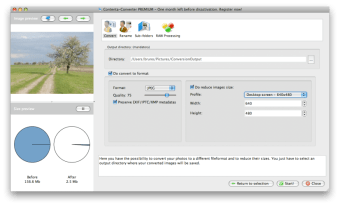
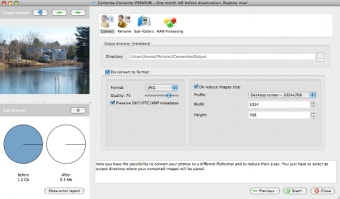
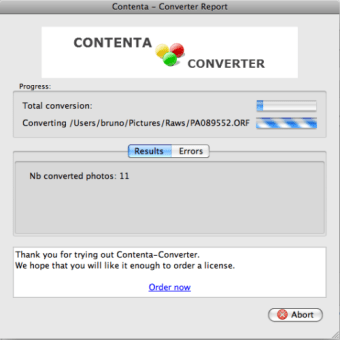
This Basic version of Contenta Converter doesn’t have many features but if all you want to do is convert images from one format to another or rename them, it's an ideal solution. The interface of Contenta Converter Basic is very simple. The toolbar across the top gives you access to the program’s main features, although half of them are only available in the Premium version.

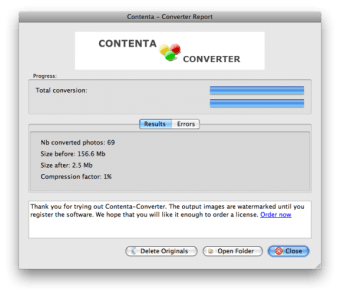
You can convert photos between formats (both popular and less common ones), reduce the size of images and automatically rename them and sort them into subfolders according to their metadata. Contenta Converter Basic also lets you preview images and check the amount of space you save when optimizing their size.

However, the main problem with Contenta Converter is that if you're metadata for images is very generic or inaccurate, it doesn't work very well as it uses this information to identify files.

Overall though, Contenta Converter Basic is sufficient if you just want to convert, sort and rename images that have the correct metadata attached.


  • Pros

    • Works with multiple images simultaneously
    • Support for a wide range of formats
    • Previews images
  • Cons

    • Requires proper metadata
    • No advanced functions
 0/4

App specs

Also available in other platforms

Program available in other languages


Icon of program: Contenta Converter

Contenta Converter for Mac

  • Free
  • 3
    6
  • 6.6K
  • Vbasic-6.5
Free Download for Mac

View an ad to download for free


User reviews about Contenta Converter

Have you tried Contenta Converter? Be the first to leave your opinion!

Add review

You may also like

Alternatives to Contenta Converter

Explore Apps

Latest articles

Laws concerning the use of this software vary from country to country. We do not encourage or condone the use of this program if it is in violation of these laws.
Softonic

Is Contenta Converter safe?

100/100

Score result: Clean

This file passed a comprehensive security scan using VirusTotal technology. It is safe to download.

  • Virus free
  • Spyware free
  • Malware free
  • Verified by Security Partners

    VirusTotal logo

Scan Info

Last scan
Tuesday, November 14, 2023
Scan provider
VirusTotal · Full report

File Integrity

File
ContentaConverterBASIC.dmg
SHA256
ac3aa1a597b3e1903b07cf9524ad491a518de834e51af255dde62d92d6f869a3
SHA1
1ac606d6d606f969d66ecc04c7b3c7c76794f9a6

Softonic security commitment

Contenta Converter has been thoroughly scanned by our advanced security systems and verified by industry-leading partners. This file comes from the official developer and has passed all our security checks, showing no signs of viruses, malware, or spyware. For more information, visit our Security and Trust Center

Softonic

What is a Validated Developer?

Validated Dev

This badge indicates that Softonic has received authorization to offer the software from the developer or a designated representative, through the Softonic Publisher Center or other agreements. Content, ownership and compliance are responsibility of the developer.

More details in terms and conditions.

Are you a developer?

Join the Softonic Publishing Center and reach millions of users.

Not a developer?